


Ultimate Guide to Boost Productivity and Efficiency : Best AI Tools for Professionals in 2026
Artificial Intelligence (AI) has become an essential part of the modern workplace. From automating repetitive tasks to generating high-quality content, analyzing data, and improving communication, AI tools are helping professionals across industries work smarter rather than harder.
- Why Professionals Are Using AI Tools
- How AI Is Transforming Professional Work
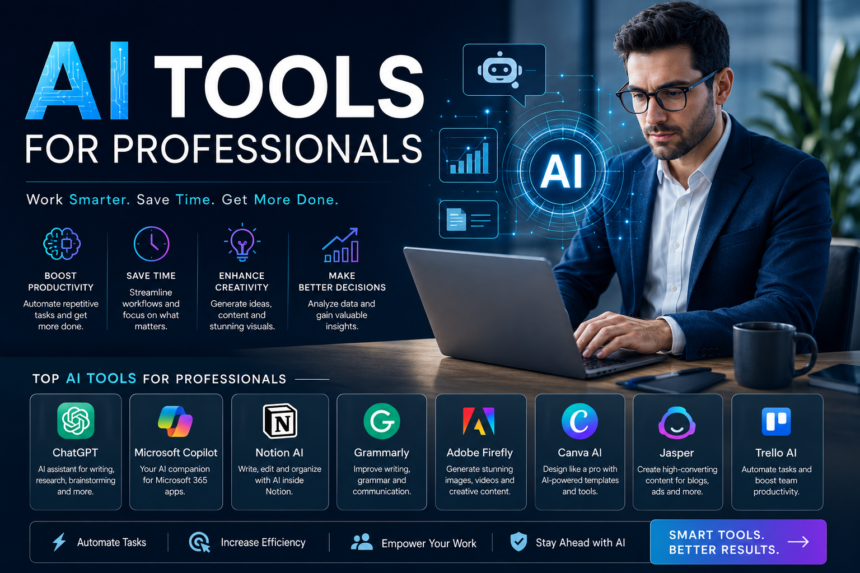
- Best AI Tools for Professionals in 2026
- Best AI Tools by Profession
- How to Choose the Best AI Tool
- Free vs Paid AI Tools
- Tips for Getting the Most from AI Tools
- Common Challenges of Using AI
- Future of AI in the Workplace
- Frequently Asked Questions (FAQs)
Whether you’re a business owner, marketer, software developer, designer, consultant, freelancer, HR manager, or student preparing for a professional career, the best AI tools for professionals can dramatically improve productivity, save valuable time, and reduce operational costs.
In 2026, AI technology is more powerful than ever. Many tools now combine advanced language models, automation, image generation, data analysis, and collaboration features into one platform. This comprehensive guide explores the top AI tools professionals should consider, their key features, benefits, pricing, and tips for choosing the right solution for your workflow.
Why Professionals Are Using AI Tools
AI is no longer just a trend—it’s a competitive advantage. Organizations around the world are integrating AI into daily operations to increase efficiency and improve decision-making.
Key Benefits of AI Tools
- Automate repetitive tasks
- Save hours every week
- Improve writing quality
- Generate marketing content quickly
- Analyze large datasets
- Enhance customer support
- Create professional presentations
- Design graphics and videos faster
- Assist with coding and debugging
- Improve workplace collaboration
Professionals who embrace AI often experience higher productivity, improved creativity, and better work-life balance.
How AI Is Transforming Professional Work
AI impacts nearly every department within an organization.
Marketing
- Content generation
- SEO optimization
- Social media management
- Email campaigns
- Customer segmentation
Human Resources
- Resume screening
- Employee onboarding
- Interview scheduling
- Policy documentation
Finance
- Expense tracking
- Forecasting
- Financial reporting
- Fraud detection
Sales
- Lead generation
- CRM automation
- Proposal writing
- Customer follow-ups
Software Development
- Code generation
- Bug fixing
- Documentation
- Testing automation
Customer Support
- AI chatbots
- Knowledge base creation
- Ticket summarization
- Automated responses
Best AI Tools for Professionals in 2026
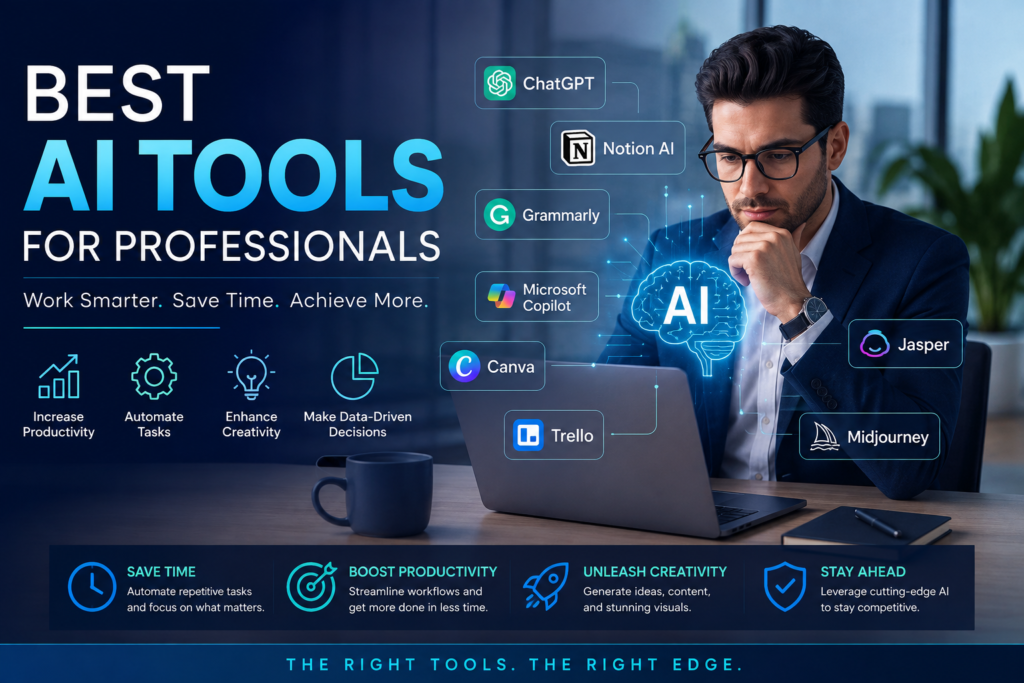
1. ChatGPT
ChatGPT has become one of the most versatile AI assistants available. Professionals use it daily for brainstorming, writing, coding, research, customer communication, and productivity.
Best For
- Content writers
- Entrepreneurs
- Developers
- Students
- Marketing teams
- Consultants
Features
- Writing assistance
- Coding support
- Document summarization
- Email drafting
- Brainstorming
- Translation
- Data analysis
- Research assistance
Pros
- Easy to use
- Highly versatile
- Supports multiple industries
- Saves significant time
2. Microsoft Copilot
Microsoft Copilot integrates AI directly into Microsoft 365 applications.
Key Features
- AI-powered Excel analysis
- Word document generation
- Outlook email assistance
- Teams meeting summaries
- PowerPoint presentation creation
Best For
Businesses already using Microsoft Office.
3. Google Gemini
Google Gemini combines AI with Google’s ecosystem.
Features
- Smart search
- Workspace integration
- AI writing
- Coding help
- Research assistance
- Image understanding
Professionals working within Google Workspace can significantly improve productivity using Gemini.
4. Notion AI
Notion AI transforms note-taking and project management.
Features
- Meeting summaries
- Writing assistance
- Project planning
- Knowledge management
- Brainstorming
Ideal for teams managing large amounts of information.
5. Grammarly
Grammarly has evolved into an AI writing assistant that improves communication.
Features
- Grammar correction
- Tone suggestions
- Email improvement
- Clarity enhancement
- AI rewriting
Perfect for professionals who communicate regularly through email and reports.
6. Jasper AI
Jasper specializes in AI-powered marketing content.
Best For
- Blog writing
- Advertising
- Landing pages
- Product descriptions
- Email campaigns
Marketing professionals use Jasper to produce high-quality content at scale.
7. Canva AI
Canva AI simplifies graphic design for non-designers.
Features
- AI image generation
- Magic Design
- Background remover
- Presentation creation
- Video editing
- Social media graphics
Perfect for marketers, freelancers, and small businesses.
8. Adobe Firefly
Adobe Firefly helps creative professionals generate stunning visuals using AI.
Capabilities
- AI image generation
- Text effects
- Object replacement
- Background editing
- Creative enhancement
Ideal for designers and digital marketers.
9. GitHub Copilot
GitHub Copilot acts as an AI coding assistant.
Features
- Code completion
- Bug fixing
- Documentation
- Code suggestions
- Multiple language support
Highly recommended for software developers.
10. Perplexity AI
Perplexity combines conversational AI with accurate web-based research.
Benefits
- Fast research
- Reliable citations
- Summaries
- Fact-checking
- Learning support
Useful for researchers, analysts, and consultants.
11. Otter.ai
Otter.ai converts meetings into searchable transcripts.
Features
- Live transcription
- Meeting summaries
- Speaker identification
- Action items
Great for remote teams.
12. Zoom AI Companion
Zoom AI improves online meetings.
Features
- Meeting summaries
- Action item generation
- Smart recording
- Chat assistance
A valuable tool for businesses with frequent virtual meetings.
13. Trello AI
Trello AI enhances project management.
Features
- Task generation
- Workflow automation
- Project organization
- Team collaboration
Perfect for agile teams.
14. ClickUp AI
ClickUp AI assists project managers with documentation and planning.
Features
- Task creation
- Writing assistance
- Project summaries
- Workflow optimization
Ideal for managing large teams.
15. Midjourney
Midjourney generates high-quality AI artwork.
Best For
- Designers
- Advertising agencies
- Marketing campaigns
- Creative professionals
Best AI Tools by Profession
For Content Writers
- ChatGPT
- Jasper
- Grammarly
- Notion AI
For Marketing Professionals
- Jasper
- Canva AI
- Adobe Firefly
- ChatGPT
For Software Developers
- GitHub Copilot
- ChatGPT
- Gemini
For Business Owners
- ChatGPT
- Microsoft Copilot
- ClickUp AI
- Grammarly
For Designers
- Canva AI
- Adobe Firefly
- Midjourney
For HR Professionals
- ChatGPT
- Grammarly
- Microsoft Copilot
For Finance Professionals
- Microsoft Copilot
- ChatGPT
- Gemini
How to Choose the Best AI Tool
Before subscribing to an AI platform, consider the following factors:
1. Purpose: Choose a tool designed for your specific work.
2. Ease of Use: Look for intuitive interfaces that require minimal training.
3. Integrations: Ensure the tool works with software you already use.
4. Security: Business users should prioritize enterprise-grade security and privacy features.
5. Pricing: Compare free plans with premium subscriptions to determine the best value.
6. Collaboration: Team-based organizations should select tools with strong collaboration capabilities.
Free vs Paid AI Tools
Free AI Tools
Advantages:
- No upfront cost
- Suitable for beginners
- Basic functionality
Limitations:
- Usage caps
- Fewer advanced features
- Limited integrations
Paid AI Tools
Advantages:
- Faster performance
- Advanced AI models
- Team collaboration
- Better customer support
- Higher usage limits
- Enhanced security
Professionals who rely on AI daily often find paid plans provide a worthwhile return on investment.
Tips for Getting the Most from AI Tools
- Write clear and detailed prompts.
- Verify AI-generated information before publishing.
- Combine multiple AI tools for better results.
- Keep sensitive information secure.
- Use AI to enhance, not replace, human expertise.
- Stay updated with new features and releases.
- Continuously refine your workflow based on productivity gains.
Common Challenges of Using AI
While AI tools offer significant advantages, users should also be aware of potential limitations:
- Occasional factual inaccuracies
- Bias in generated outputs
- Privacy concerns when handling confidential data
- Dependence on internet connectivity
- Subscription costs for advanced features
- Learning curve for advanced capabilities
The best approach is to use AI as an assistant while applying professional judgment to verify and refine outputs.
Future of AI in the Workplace
The future of professional AI looks increasingly promising. Emerging trends include:
- AI agents capable of completing multi-step workflows independently
- More personalized AI assistants that learn individual work styles
- Deeper integration across business software ecosystems
- Enhanced multimodal capabilities combining text, images, audio, and video
- Stronger enterprise security and governance features
- Real-time collaboration between humans and AI across global teams
Organizations that adopt AI responsibly are likely to benefit from increased productivity, innovation, and competitiveness.
Frequently Asked Questions (FAQs)
Q1. Which is the best AI tool for professionals?
Ans: ChatGPT is widely regarded as one of the best all-around AI tools due to its versatility in writing, coding, research, brainstorming, and productivity. However, the best choice depends on your profession and workflow.
Q2. Are AI tools worth paying for?
Ans: Yes. Paid plans typically offer access to more advanced AI models, higher usage limits, faster performance, better integrations, and stronger collaboration features, making them a valuable investment for professionals.
Q3. Can AI replace professionals?
Ans: No. AI is designed to augment human capabilities by automating repetitive tasks and providing intelligent assistance. Critical thinking, creativity, strategic decision-making, and interpersonal skills remain essential.
Q4. Which AI tool is best for writing?
Ans: ChatGPT, Grammarly, Jasper, and Notion AI are among the top choices for professional writing, editing, and content creation.
Q5. Which AI tool is best for coding?
Ans: GitHub Copilot is a leading AI coding assistant, while ChatGPT and Google Gemini also provide excellent support for coding, debugging, and technical documentation.
Conclusion
AI has transformed the way professionals work, making everyday tasks faster, smarter, and more efficient. Whether you’re drafting emails, creating marketing campaigns, writing code, designing graphics, managing projects, or analyzing business data, there is an AI tool tailored to your needs.
The best AI tools for professionals in 2026—including ChatGPT, Microsoft Copilot, Google Gemini, Notion AI, Grammarly, Jasper, Canva AI, Adobe Firefly, GitHub Copilot, Perplexity AI, Otter.ai, ClickUp AI, Trello AI, and Midjourney—offer powerful features that help individuals and teams achieve more in less time.
As AI technology continues to evolve, professionals who embrace these tools while maintaining human oversight will be better positioned to innovate, collaborate, and stay competitive in an increasingly digital workplace. By selecting the right AI solutions for your goals and integrating them thoughtfully into your daily workflow, you can unlock higher productivity, improve the quality of your work, and gain a lasting edge in your career or business.
Do follow us on Instagram
Read More – AI Tools 2026: The Most Powerful Platforms for Every Industry