



How to Use AI at Work More Effectively: A Complete Guide to Boosting Productivity and Workplace Success
Artificial intelligence (AI) is transforming the way people work, communicate, solve problems, and make decisions. From small businesses and startups to multinational corporations, organizations are increasingly adopting AI-powered tools to improve productivity, reduce repetitive tasks, and create better working environments. What was once considered an advanced technology is now becoming a practical part of everyday professional life.
- 1. What Does It Mean to Use AI at Work Effectively?
- 2. How Can AI Improve Daily Productivity at Work?
- 3. Which AI Tools Can Professionals Use to Work More Effectively?
- 4. How Can You Write Better AI Prompts for Workplace Tasks?
- 5. How Can AI Help Employees Manage Time More Efficiently?
- 6. Can AI Make Workplace Communication More Effective?
- 7. How Can Businesses Use AI to Automate Repetitive Tasks?
- 8. How Can AI Help Employees Make Better Business Decisions?
- 9. How Can AI Improve Creativity and Innovation in the Workplace?
- 10. How Can AI Help Different Departments Work Better?
- 11. What Are the Best Ways to Use AI for Research and Information Gathering?
- 12. How Can AI Help Remote and Hybrid Employees?
- 13. What Skills Should Employees Develop to Work Effectively With AI?
- 14. What Mistakes Should Employees Avoid When Using AI at Work?
- 15. How Can Companies Create a Responsible AI Workplace Policy?
- 16. How Can Managers Encourage Employees to Adopt AI?
- 17. How Can You Measure the Success of AI at Work?
- 18. What Does the Future of AI at Work Look Like?
- 19. What Are the Most Effective Daily Habits for Using AI at Work?
- 20. Is AI Going to Replace Human Workers or Make Them More Productive?
- Frequently Asked Questions (FAQs)
But how can employees, managers, entrepreneurs, and business owners use AI at work more effectively? Is AI simply a tool for writing emails and generating reports, or can it help with strategic planning, customer service, research, creativity, and decision-making? The answer is that AI has the potential to support almost every department when it is used responsibly and strategically.
Learning how to use AI at work more effectively is no longer just about understanding technology. It is about knowing which tasks to automate, how to communicate with AI tools, when to trust their suggestions, and how to combine artificial intelligence with human knowledge and creativity.
In this guide, we explore practical ways to use AI in the workplace, the benefits it offers, common mistakes to avoid, and the skills professionals need to succeed in an increasingly AI-powered working environment.
1. What Does It Mean to Use AI at Work Effectively?
Using AI effectively at work means applying artificial intelligence tools to complete professional tasks more efficiently, improve the quality of work, and support better decision-making. It does not mean allowing technology to control every aspect of a job. Instead, it involves using AI as a productivity partner that assists people with routine responsibilities while leaving important decisions, judgment, and accountability to humans.
For example, an employee can use AI to summarize a lengthy document, prepare an initial presentation, organize meeting notes, or generate ideas for a marketing campaign. Rather than spending hours on these preliminary activities, the employee can focus on reviewing the information, improving the output, and completing more valuable work.
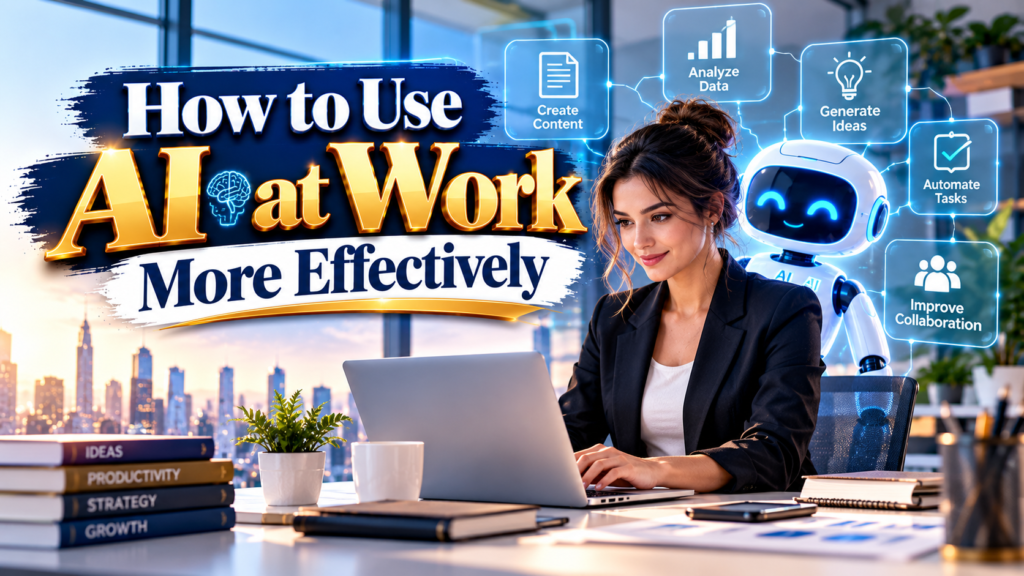
Effective AI adoption requires three important elements:
- Clear objectives: Understand what you want AI to accomplish before choosing a tool.
- Human supervision: Review AI-generated information before using or sharing it.
- Continuous improvement: Experiment with different AI applications and improve your workflow over time.
The goal is not to replace human intelligence but to make it more productive.
2. How Can AI Improve Daily Productivity at Work?
One of the biggest advantages of artificial intelligence is its ability to reduce the time spent on repetitive and time-consuming activities. Employees often spend a considerable part of their working day answering emails, preparing documents, organizing information, scheduling meetings, and searching for relevant data.
AI can simplify many of these responsibilities by providing faster assistance and automating selected processes.
For instance, professionals can use AI writing assistants to prepare email drafts, summarize lengthy reports, and improve the clarity of business communication. AI-powered productivity tools can also help organize tasks, identify priorities, and generate action plans.
Some practical ways AI can improve daily productivity include:
- Creating first drafts of emails, reports, and business documents.
- Summarizing long articles, research papers, and meeting discussions.
- Preparing presentations and brainstorming new ideas.
- Organizing project information and task lists.
- Generating spreadsheet formulas and explaining data.
- Creating daily work schedules and prioritizing responsibilities.
- Translating professional documents into different languages.
However, employees should remember that faster output does not always mean better output. Every AI-generated result should be reviewed to ensure that it is accurate, relevant, and appropriate for its intended purpose.
3. Which AI Tools Can Professionals Use to Work More Effectively?
Choosing the right AI tool is an important part of successful workplace adoption. Different tools are designed for different professional needs, so employees should select applications based on their responsibilities and organizational requirements.
Here are some popular AI-powered tools that can support workplace productivity.
ChatGPT
ChatGPT can help professionals brainstorm ideas, draft documents, summarize information, explain complex topics, prepare outlines, and solve problems. It can also assist with coding, research, data analysis, and professional communication.
Microsoft Copilot
Microsoft Copilot supports workplace activities across compatible Microsoft applications. Depending on the subscription and organizational setup, it can assist with documents, spreadsheets, presentations, emails, and meetings.
Google Gemini
Google Gemini can help users generate content, explore ideas, understand information, and complete various research and productivity tasks. Its integration with Google Workspace depends on the available plan and settings.
Grammarly
Grammarly helps professionals improve grammar, spelling, tone, and writing clarity. It can be useful for business emails, reports, proposals, and other professional documents.
Canva AI
Canva provides AI-powered design features that help users create presentations, marketing graphics, social media content, and visual materials.
Before adopting any AI platform, organizations should check its privacy settings, security features, pricing, and compatibility with their existing systems.
4. How Can You Write Better AI Prompts for Workplace Tasks?
One of the most important skills for using AI effectively is learning how to write clear instructions, commonly known as prompts. AI tools can produce useful results, but the quality of their responses often depends on how clearly users explain their requirements.
A vague prompt such as “Write a report” may produce a generic response. A detailed prompt that explains the topic, audience, purpose, format, and desired length is more likely to generate useful results.
For example, instead of asking:
“Write an email to a customer.”
You can provide a more specific instruction:
“Write a professional and friendly email to a customer explaining that their order will be delayed by two days. Apologize for the inconvenience, provide reassurance, and maintain a polite business tone.”
A good workplace prompt generally includes:
- Role: Tell AI what professional perspective it should adopt.
- Task: Clearly explain what you want it to do.
- Context: Provide the necessary background information.
- Format: Specify whether you need a paragraph, report, table, or list.
- Tone: Explain whether the response should be formal, friendly, persuasive, or technical.
- Limitations: Mention word limits, important exclusions, and other requirements.
For more effective results, employees should treat prompting as an ongoing skill rather than a one-time activity. Testing and refining instructions can significantly improve the usefulness of AI-generated responses.
5. How Can AI Help Employees Manage Time More Efficiently?
Time management is one of the most common workplace challenges. Employees frequently struggle to balance meetings, deadlines, administrative responsibilities, and important projects. AI can help professionals organize their schedules and make better use of available working hours.
AI-powered scheduling and productivity applications can help identify overlapping commitments, organize task lists, and suggest ways to structure daily activities.
For example, an employee managing several projects can ask an AI assistant to organize tasks according to urgency, importance, and deadlines. The tool can then suggest a daily schedule that gives priority to essential responsibilities.
AI can support time management through:
- Preparing daily and weekly task schedules.
- Organizing project deadlines.
- Summarizing meeting discussions and identifying action items.
- Creating reminders and follow-up lists.
- Identifying repetitive activities that may be automated.
- Helping employees break large projects into smaller tasks.
However, AI-generated schedules should remain flexible. Unexpected meetings, urgent requests, and changing business priorities require human judgment and adjustments.
6. Can AI Make Workplace Communication More Effective?
Communication plays a significant role in professional success. Employees regularly communicate with colleagues, customers, suppliers, managers, and business partners. Poorly written messages, unclear instructions, and delayed responses can create misunderstandings and affect productivity.
AI can help improve workplace communication by making messages clearer, more professional, and easier to understand.
For example, employees can use AI to rewrite complicated emails, simplify technical explanations, translate messages, and adjust the tone of business communication.
AI can also assist with:
- Drafting professional emails and customer responses.
- Preparing meeting agendas.
- Summarizing conversations and discussions.
- Translating messages for international teams.
- Creating internal announcements and company updates.
- Improving grammar and sentence structure.
- Preparing presentations for business meetings.
For international organizations, AI translation tools can make communication across different languages easier. Nevertheless, important legal, contractual, or sensitive communications should receive appropriate human review.
7. How Can Businesses Use AI to Automate Repetitive Tasks?
Repetitive tasks consume valuable employee time and can reduce opportunities for creative and strategic work. AI-powered automation can help businesses streamline routine processes and improve operational efficiency.
For example, customer service teams can use AI chatbots to answer common questions, while finance departments can use automation tools to organize invoices and extract information from documents.
Some workplace activities that may benefit from AI automation include:
- Responding to frequently asked customer questions.
- Sorting and categorizing incoming emails.
- Extracting information from documents.
- Preparing routine business reports.
- Managing basic appointment requests.
- Organizing customer inquiries.
- Processing standard administrative information.
Businesses can also connect AI applications with existing software to reduce manual data entry and repetitive workflows.
However, automation should be introduced carefully. Organizations need to test automated processes, monitor their performance, and establish clear procedures for situations that require human intervention.
8. How Can AI Help Employees Make Better Business Decisions?
Making informed decisions requires access to relevant information, careful analysis, and an understanding of possible risks. AI can support this process by organizing large amounts of information and identifying patterns that may not be immediately obvious.
For example, a business manager can use AI-powered analytics to summarize sales reports, compare performance across different periods, or identify potential customer trends.
AI can also help employees explore different scenarios and evaluate possible strategies.
Its decision-support applications include:
- Analyzing business performance reports.
- Identifying patterns in customer behavior.
- Summarizing market research.
- Comparing different business strategies.
- Organizing financial and operational information.
- Highlighting potential risks and opportunities.
Despite these advantages, AI should not become the sole authority for important business decisions. Its analysis may contain errors, incomplete information, or misleading assumptions.
Managers should combine AI-generated insights with verified data, professional expertise, and an understanding of business circumstances.
9. How Can AI Improve Creativity and Innovation in the Workplace?
Some people believe artificial intelligence reduces creativity, but it can actually support the creative process when used correctly. AI tools can help professionals explore new ideas, overcome creative blocks, and experiment with different approaches.
Marketing professionals, designers, content creators, and business developers can use AI to generate initial concepts and explore possibilities that might otherwise take considerable time.
For example, a marketing team planning a product launch can ask AI to suggest campaign themes, social media ideas, audience segments, and promotional messages.
AI can support creativity through:
- Brainstorming new product and service ideas.
- Developing marketing campaign concepts.
- Creating presentation outlines.
- Exploring alternative business strategies.
- Generating visual design ideas.
- Developing content calendars.
- Suggesting improvements to existing products.
The best approach is to use AI for inspiration rather than relying entirely on automatically generated ideas. Human creativity, cultural understanding, emotional intelligence, and originality remain essential for producing meaningful work.
10. How Can AI Help Different Departments Work Better?
AI is not limited to one professional field. Its applications can extend across several departments within an organization.
Human Resources
HR professionals can use AI to organize recruitment information, prepare job descriptions, draft employee communications, and support training programs.
However, recruitment decisions should remain subject to human oversight to prevent unfair discrimination and inappropriate automated screening.
Marketing
Marketing teams can use AI to research audiences, generate campaign ideas, prepare content outlines, analyze campaign performance, and develop customer communication strategies.
Finance and Accounting
Finance teams can use AI to organize financial documents, identify unusual transactions, summarize reports, and support forecasting. Financial outputs must be verified before being used for important decisions.
Customer Service
Customer service departments can use AI assistants to answer common questions, categorize support requests, summarize customer conversations, and help agents prepare responses.
Education and Training
Training departments can use AI to develop learning materials, prepare quizzes, explain complex subjects, and create personalized learning resources.
11. What Are the Best Ways to Use AI for Research and Information Gathering?
Research is an important part of many professional responsibilities. Employees often need to understand industry developments, study competitors, investigate new technologies, and collect information before preparing reports or making decisions.
AI can simplify research by summarizing lengthy documents, organizing information, explaining complex concepts, and identifying useful research directions.
For example, a business analyst researching an industry trend can use AI to develop a list of relevant questions, organize research topics, and summarize verified source materials.
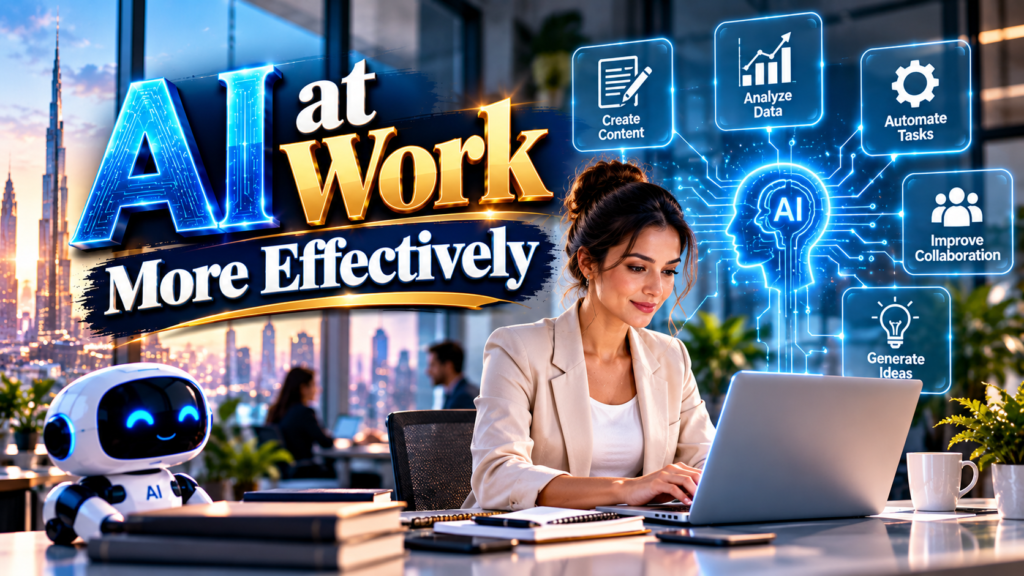
To use AI effectively for research:
- Begin with a clearly defined research question.
- Ask AI to suggest relevant topics and search terms.
- Use reliable sources to collect supporting information.
- Ask AI to organize findings into meaningful sections.
- Verify statistics, quotations, dates, and factual claims.
- Include references where required.
One important limitation is that AI-generated research can contain outdated or incorrect information. Professionals should never assume that an AI response is accurate simply because it sounds confident.
12. How Can AI Help Remote and Hybrid Employees?
Remote and hybrid working arrangements have become common across many industries. However, managing distributed teams can create challenges involving communication, collaboration, project tracking, and information sharing.
AI-powered workplace applications can help teams remain organized and connected, even when employees work from different locations.
AI can assist remote employees by:
- Summarizing virtual meetings.
- Preparing meeting notes and action items.
- Organizing shared project information.
- Translating communication between international teams.
- Drafting project updates.
- Helping employees locate relevant information.
- Supporting asynchronous communication.
AI meeting assistants can be particularly useful because they reduce the need for employees to manually record every discussion. However, organizations should inform participants about recording and transcription practices and follow applicable privacy rules.
13. What Skills Should Employees Develop to Work Effectively With AI?
As AI becomes more common in professional environments, employees need to develop skills that help them work alongside intelligent technologies.
Technical knowledge is useful, but successful AI adoption also requires critical thinking, communication, adaptability, and problem-solving abilities.
Some important skills include:
1. AI literacy: Understand how AI tools work, what they can accomplish, and where their limitations exist.
2. Prompt writing: Learn how to provide clear instructions and useful context to AI applications.
3. Critical thinking: Evaluate AI-generated information instead of accepting every response without examination.
4. Data literacy: Understand basic data concepts and learn how to interpret analytical results.
5. Communication: Explain requirements clearly and use AI-assisted communication appropriately.
6. Creativity: Develop original ideas and use AI as a supporting tool.
7. Adaptability: Stay open to learning new tools, systems, and working methods.
Employees who combine professional expertise with AI literacy may be better prepared for changing workplace expectations.
14. What Mistakes Should Employees Avoid When Using AI at Work?
Although AI offers many advantages, inappropriate use can create professional, operational, and security risks.
One common mistake is trusting AI-generated information without checking its accuracy. AI systems can generate incorrect statistics, inaccurate explanations, and fictional references. This can damage professional credibility if the information is included in business documents.
Other mistakes include:
- Sharing confidential company information with unapproved AI platforms.
- Using AI-generated content without reviewing it.
- Depending on AI for every professional decision.
- Providing vague or incomplete instructions.
- Ignoring copyright and intellectual property concerns.
- Publishing AI-generated content without checking originality and quality.
- Using automated responses in situations requiring empathy.
- Failing to follow organizational AI policies.
Employees should also avoid entering customer information, financial records, employee details, passwords, or confidential business documents into public AI tools unless their organization has explicitly approved the platform and the relevant data handling.
Responsible AI use requires a balance between convenience, security, accuracy, and accountability.
15. How Can Companies Create a Responsible AI Workplace Policy?
Organizations that want to introduce AI successfully should establish clear guidelines for employees. A workplace AI policy helps ensure that technology is used consistently, securely, and responsibly.
The policy should explain which AI tools employees are permitted to use, what types of information can be shared, and how AI-generated content should be reviewed.
An effective AI workplace policy should cover:
- Approved AI applications and platforms.
- Data privacy and information security.
- Confidentiality requirements.
- Human review and accountability.
- Copyright and intellectual property considerations.
- Acceptable AI use in customer communication.
- Employee training and awareness.
- Procedures for reporting AI-related errors or security concerns.
Companies should also evaluate AI tools before adopting them. This includes reviewing security controls, data retention policies, access permissions, and vendor practices.
A responsible AI policy should not simply restrict technology. It should help employees understand how to use it safely and productively.
16. How Can Managers Encourage Employees to Adopt AI?
Successful AI adoption depends on more than purchasing software. Managers must help employees understand why AI is being introduced and how it can improve their everyday responsibilities.
Some employees may worry that AI will replace their jobs, while others may find new technologies difficult to understand. Open communication and practical training can help address these concerns.
Managers can encourage adoption by:
- Providing practical AI training sessions.
- Demonstrating useful workplace applications.
- Identifying repetitive tasks that can be simplified.
- Encouraging employees to experiment with approved tools.
- Sharing successful examples across departments.
- Creating clear guidelines for responsible usage.
- Collecting employee feedback and improving workflows.
Managers should also explain that AI adoption is intended to support employees and improve work processes rather than automatically eliminate the need for human expertise.
A supportive learning environment can make employees more confident about adopting new technologies.
17. How Can You Measure the Success of AI at Work?
Introducing AI does not automatically guarantee better productivity. Businesses need to evaluate whether their AI applications are producing meaningful results.
The success of workplace AI can be measured using key performance indicators (KPIs) that reflect business objectives.
Useful measurements include:
- Time saved on repetitive tasks.
- Improvement in document preparation speed.
- Reduction in administrative workload.
- Customer response and resolution times.
- Employee productivity and satisfaction.
- Accuracy of AI-assisted processes.
- Reduction in operational costs.
- Improvement in project completion rates.
For example, if a company introduces an AI assistant to help prepare customer support responses, it can compare average response times and customer satisfaction before and after implementation.
However, businesses should not measure AI success only through speed or cost reduction. Quality, fairness, employee experience, security, and customer trust are equally important.
18. What Does the Future of AI at Work Look Like?
The future of AI in the workplace is likely to involve deeper integration between artificial intelligence, business applications, and everyday professional activities.
AI assistants are increasingly being developed to perform multiple connected tasks rather than simply responding to individual questions. These systems may help employees coordinate workflows, analyze information, prepare documents, and interact with different business applications.
Several developments are expected to influence the future workplace:
- AI-powered automation: More routine administrative processes may become automated.
- Personalized productivity: AI assistants may provide support based on individual roles and workflows.
- Smarter business analytics: Organizations may use AI to identify trends and improve planning.
- AI-supported collaboration: Teams may benefit from better meeting summaries and information management.
- Continuous employee learning: AI-powered training may help employees develop new skills.
- Human-AI collaboration: Employees may increasingly work alongside AI systems to complete complex tasks.
However, the future of AI at work will not depend on technology alone. Organizations will also need to address workforce development, data protection, transparency, accountability, and ethical concerns.
The most successful workplaces are likely to be those that combine technological innovation with human judgment and professional experience.
19. What Are the Most Effective Daily Habits for Using AI at Work?
Developing consistent habits can help employees receive greater value from AI tools. Instead of using artificial intelligence randomly, professionals should identify opportunities where it can make their everyday activities easier.
Here are some practical habits to consider:
- Start the day by using AI to organize priorities and prepare task lists.
- Use AI to create first drafts of routine documents.
- Ask AI to summarize lengthy reports before reviewing important details.
- Use AI to brainstorm solutions when facing a difficult problem.
- Review AI-generated information before sharing it with colleagues.
- Identify repetitive tasks that could benefit from approved automation.
- Learn one new AI feature or productivity technique regularly.
- Evaluate whether AI is genuinely improving work quality and efficiency.
These habits can gradually improve AI literacy and help employees develop more effective working methods.
20. Is AI Going to Replace Human Workers or Make Them More Productive?
One of the biggest questions surrounding artificial intelligence is whether it will replace human workers. The answer is complex because AI affects different industries, occupations, and responsibilities in different ways.
Some routine tasks may become increasingly automated, particularly those involving repetitive data processing, basic content generation, and standard administrative activities. However, many professional responsibilities require human judgment, creativity, empathy, leadership, negotiation, and interpersonal understanding.
AI can support employees by handling certain repetitive activities, allowing them to spend more time on responsibilities that require deeper expertise.
For example, a marketing professional can use AI to generate initial campaign ideas but still needs to understand customer expectations, brand identity, and market conditions. Similarly, a manager can use AI to analyze reports but must make the final decision based on organizational priorities.
The future of work is therefore likely to involve a combination of automation and human contribution.
Employees who learn to use AI responsibly, develop complementary skills, and remain adaptable may be better positioned to benefit from workplace transformation.
Frequently Asked Questions (FAQs)
Q1. How can I use AI at work more effectively?
Ans: You can use AI more effectively by identifying repetitive tasks, writing clear prompts, choosing suitable tools, and reviewing generated results. Start with activities such as email drafting, document summarization, research, brainstorming, and task organization.
Q2. What are the best AI tools for workplace productivity?
Ans: Popular workplace AI tools include ChatGPT, Microsoft Copilot, Google Gemini, Grammarly, and Canva AI. The best option depends on your professional requirements, existing software, budget, and company security policies.
Q3. Can AI help improve employee productivity?
Ans: Yes. AI can help employees save time by assisting with routine writing, research, information organization, data analysis, and administrative activities. This allows professionals to focus more on complex and valuable responsibilities.
Q4. Is it safe to use AI tools for office work?
Ans: AI tools can be useful, but employees should follow company security policies and avoid sharing confidential information with unapproved platforms. Organizations should review privacy, data retention, and security practices before adopting AI applications.
Q5. How can beginners start using AI at work?
Ans: Beginners can start by using AI for simple activities such as drafting emails, summarizing documents, generating ideas, and organizing daily tasks. They should gradually learn prompt writing, fact-checking, and responsible AI practices.
Q6. Will AI replace jobs in the future?
Ans: AI may automate certain tasks and change the responsibilities associated with many occupations. However, human creativity, judgment, leadership, emotional intelligence, and professional expertise will remain important in many working environments.
Q7. How can AI help small businesses?
Ans: Small businesses can use AI to support marketing, customer service, content creation, administrative work, research, and basic data analysis. These applications can help smaller teams manage workloads and use resources more efficiently.
Q8. Why is AI literacy important for employees?
Ans: AI literacy helps employees understand how artificial intelligence works, identify its limitations, write better prompts, evaluate generated information, and use technology responsibly. These skills can help professionals adapt to changing workplace requirements.
Q9. Can AI improve teamwork and collaboration?
Ans: Yes. AI can assist teams by summarizing meetings, organizing project information, preparing action lists, translating communications, and supporting collaborative workflows.
Q10. What is the most important rule for using AI at work?
Ans: The most important rule is to treat AI as an assistant, not an unquestionable authority. Always verify important information, protect confidential data, follow workplace policies, and maintain human responsibility for final decisions.
Conclusion: How Can You Make AI a Valuable Part of Your Working Life?
Artificial intelligence is changing professional environments by making many everyday activities faster, more organized, and more efficient. From writing emails and preparing reports to analyzing business information and supporting creative projects, AI offers numerous opportunities to improve workplace productivity.
However, knowing how to use AI at work more effectively requires more than selecting a popular application. Employees must understand their professional needs, write clear prompts, verify generated information, protect confidential data, and maintain human oversight.
Businesses should focus on responsible adoption, employee training, and practical applications that produce measurable improvements. At the same time, professionals should continue developing creativity, communication, critical thinking, and problem-solving skills.
AI should be viewed as a supportive workplace partner rather than a replacement for human intelligence. When technology and human expertise work together, organizations can create more productive, innovative, and adaptable working environments.
The most important step is to start with small, practical applications, learn from experience, and gradually identify how AI can make everyday work more effective.
Do follow us on Instagram
Read More – Artificial Intelligence Changing the World